Alien Invasyndrome Tools Hub
Skill planner, nest checklist, and detection timer.
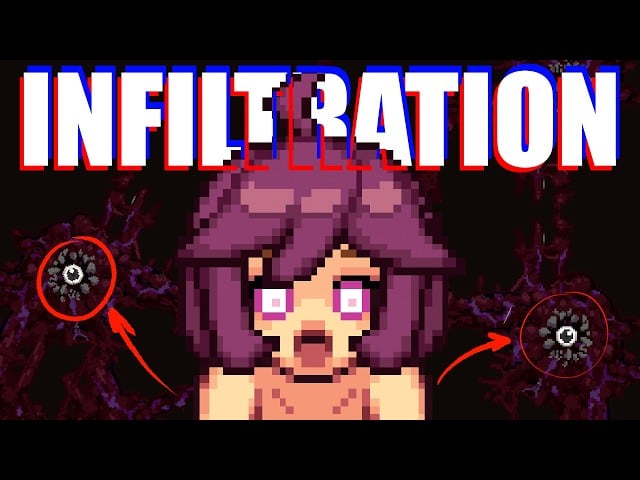
This Tools Hub collects session aids for Alien Invasyndrome Demo (Steam app 4603980) on the ship Atlas. The tools do not replace map literacy or stealth practice. They keep spend order, nest goals, and detection recovery honest while you play as a fragile alien larva.
Content note: 18+ adult stealth-action. Pages here stay mechanical. Brief mature themes exist in the game; this wiki does not describe explicit scenes. Developer Mozu Field / 百舌鳥; publisher Shady Corner Games. Full release TBA.
Tools in this hub
- Skill Planner — allocate early Stealth, Nesting, INT, and STR focus for a Demo session.
- Nest Checklist — tick nest-site, softlock, Kitchen/Clinic scout, and Security prep goals.
- Detection Timer — pace the ~1 minute hide window after a confirmed spot.
Progression theory lives under Skills Hub. Route theory lives under Guides Hub. Use tools when you already know what you are trying to practice.
When to open each tool
| Situation | Tool |
|---|---|
| First skill spend after nest is stable | Skill Planner |
| Starting a nest session or restarting after death | Nest Checklist |
| Just got spotted and need hide discipline | Detection Timer |
| Choosing INT vs STR identity | Planner + Skill Tree |
| Learning desk exits | Checklist + Softlock Fixes |
How tools fit the Demo loop
Alien Invasyndrome Demo rewards quiet commuting more than highlight captures. A typical honest loop looks like this:
- Confirm controls and stealth actions via Controls Hub and Stealth Actions.
- Learn detection recovery on Stealth and Detection.
- Secure a nest commute with How to Nest while ticking Nest Checklist.
- Spend a tight early cluster using Early Build and Skill Planner.
- Practice Kitchen, Clinic, Lab, and Cafeteria peeks before Security A/B commitment.
- When spotted, run Detection Timer instead of inventing a new plan mid-alert.
If you skip steps 1–3, the planner only records a louder failure pattern.
Room context the tools assume
Tools talk about Atlas rooms because those rooms create the failure modes you are measuring:
- Kitchen — short loops, counter cover, good for nest-checklist scouts.
- Clinic — desk softlocks common; pair checklist softlock practice with exit drills.
- Laboratory — longer sightlines; timer practice matters when peeks fail.
- Cafeteria — open seating; checklist peeks before greed nests.
- Security — choose route A or B once; planner spends should match that choice.
Map detail: Map Hub, Key Rooms, Atlas Overview. Ordered clears: Walkthrough Hub.
Rules for using wiki tools
- Treat sliders and checkboxes as session notes. Exact in-game node names can differ by Demo build.
- Change one variable per death: route, spend, or hide habit—not all three.
- Do not softlock under desks as a permanent fortress. Softlocks buy the timer window; they do not clear rooms.
- INT-leaning plans favor setup and quieter nest cycles. STR-leaning plans favor commit windows you already earned.
- Revisit this Tools Hub after patches listed on Updates Hub.
Related hubs
- Skills Hub for tree, evolution, early build.
- Guides Hub for nest, stealth, Security, boss.
- Characters Hub for patrol pressure that breaks bad plans.
- Review Hub if you are deciding whether Demo depth fits you.
Closing
Open one tool per practice goal. Planner for spend intent, checklist for nest literacy, timer for hide tax honesty. Then return to Atlas and execute the same short loop until the larva fails predictably—and therefore improves.
Frequently Asked Questions
Quick answers to common Alien Invasyndrome questions.
What tools are on this hub?
Skill Planner, Nest Checklist, and Detection Timer for Alien Invasyndrome Demo sessions on Atlas.
Do these tools replace the skill tree guides?
No. Use Skills Hub and Early Build for theory; use the planner only to keep a session spend honest.
When should I use the Detection Timer?
Start it after a confirmed spot and hide for about one minute instead of nesting or crossing open floor.
Are the tools updated for every Demo patch?
Treat them as session aids. Confirm node names and room timing in your build, and check Updates Hub after patches.